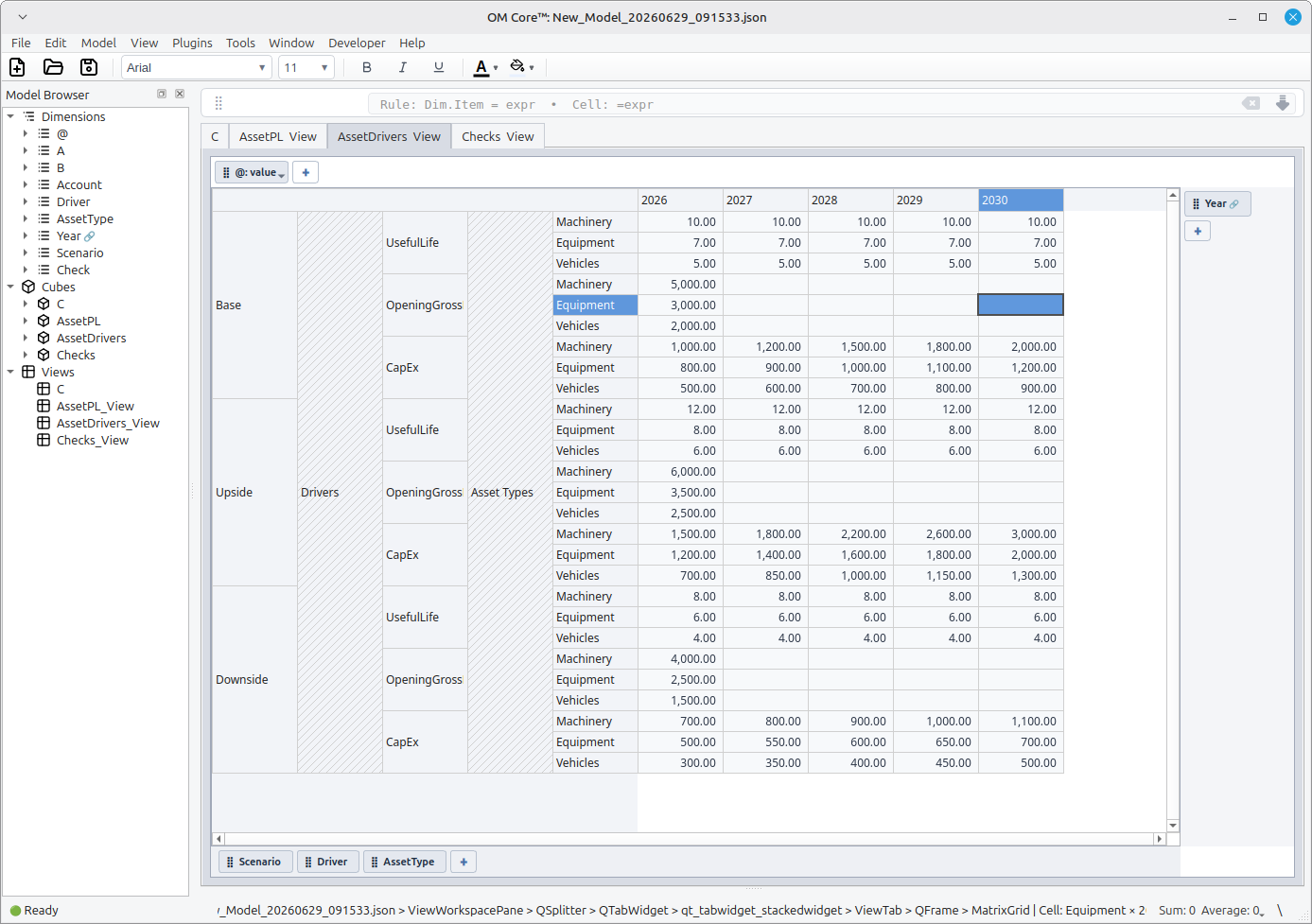
Financial Modeling Examples
These example models are complete .openm script bundles. Each bundle includes
build.openm and numbered script files that can be loaded into OM Core.
For the full modeling conventions and agent instructions, see SKILLS.md or download the raw file directly from GitHub.
These examples are intended as educational script-bundle patterns. They were generated by an LLM from a simple prompt and have not been independently validated. They are not investment advice, accounting advice, tax advice, valuation advice, or production-ready financial templates.
To run a model, load the bundle in the OM Core REPL:
om> source build.openm
Three-Statement Model
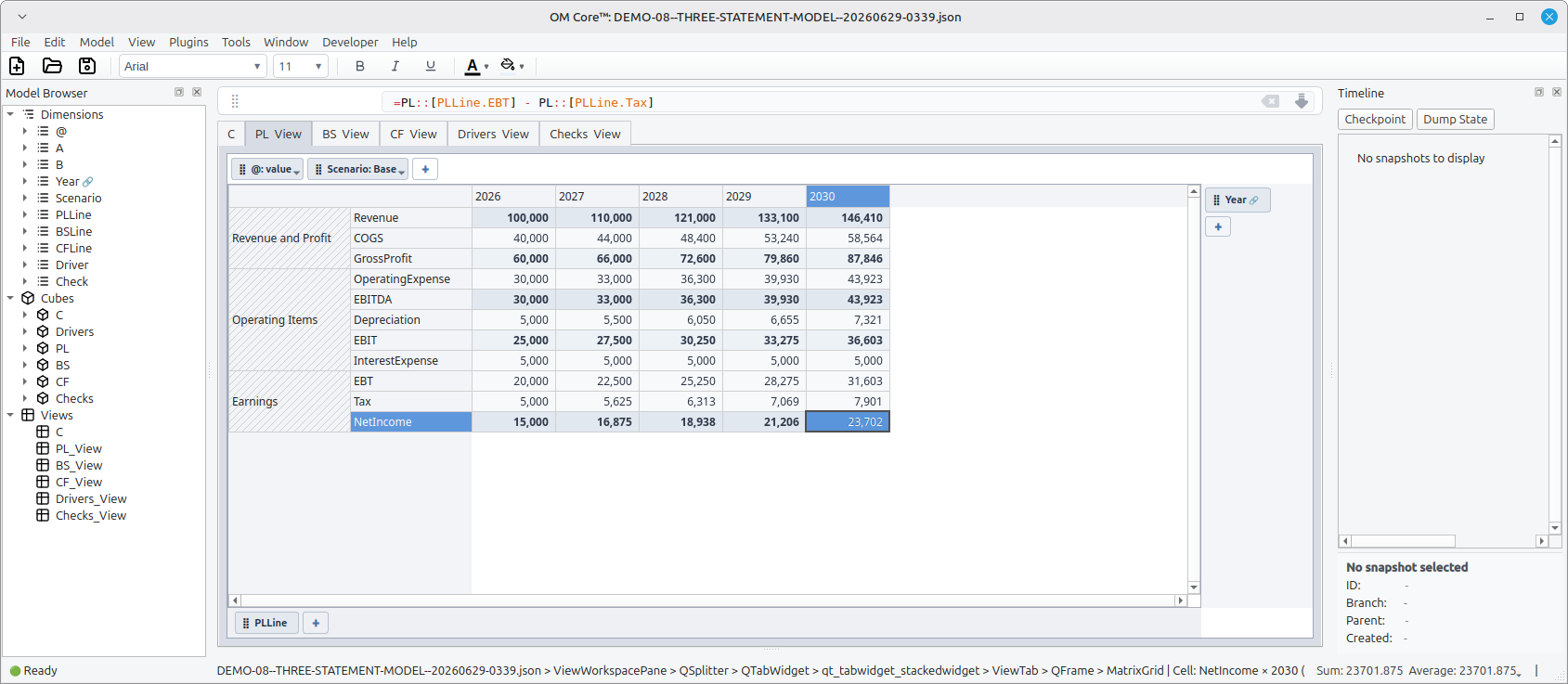
The flagship example. Shows an integrated P&L, Balance Sheet, and Cash Flow Statement with scenarios, checks, and dimensional structure.
- 00_variables.openm
- 01_dimensions.openm
- 02_cubes.openm
- 03_inputs.openm
- 04_rules.openm
- 05_checks.openm
- 06_views.openm
- 07_formatting.openm
- 08_groups.openm
- build.openm
Budget vs Actual / Forecast Variance Model
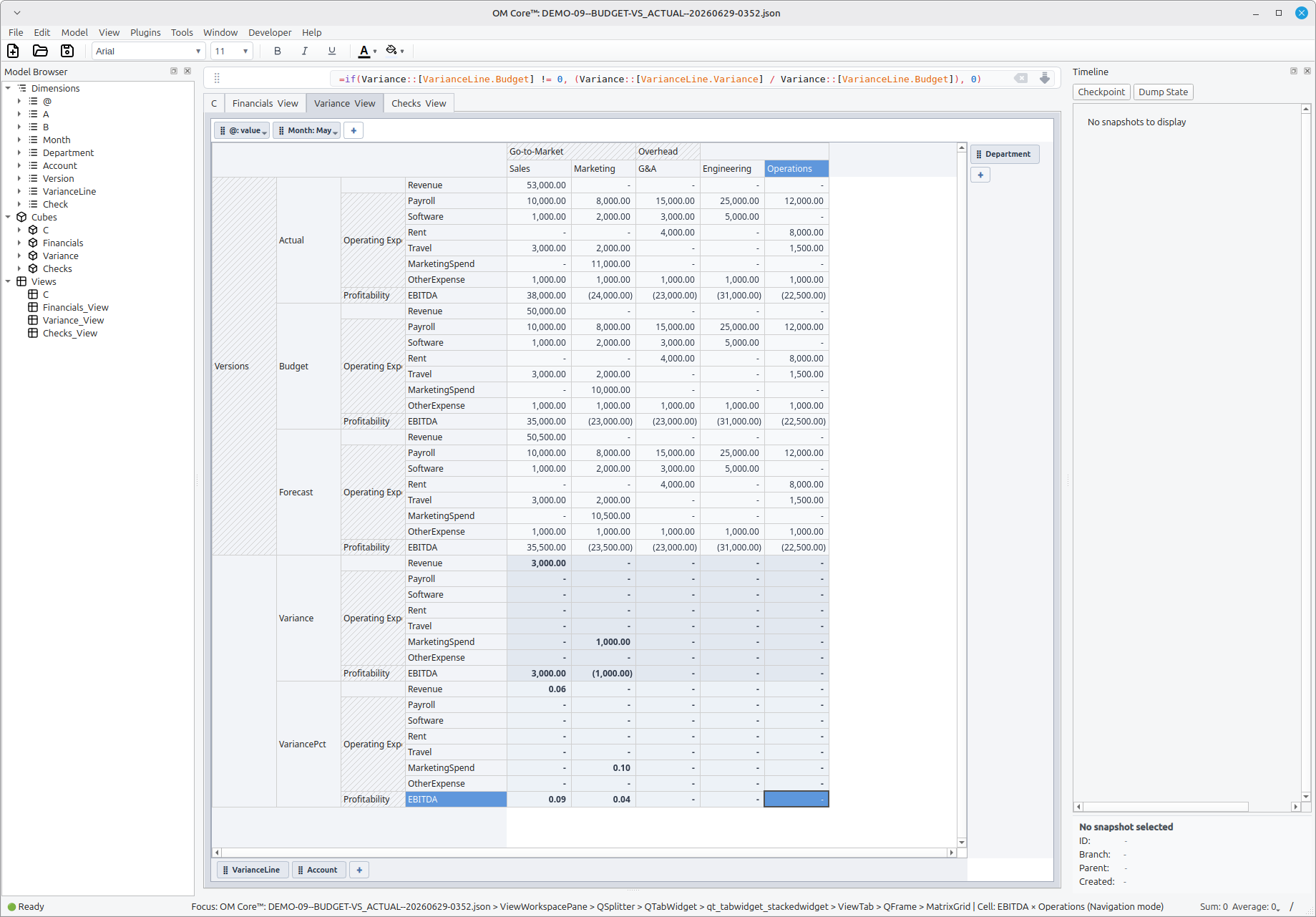
The FP&A example. Shows Actual, Budget, and Forecast as a Version dimension,
with calculated Variance and VariancePct across Account, Month, and
Department.
- 00_variables.openm
- 01_dimensions.openm
- 02_cubes.openm
- 03_inputs.openm
- 04_rules.openm
- 05_checks.openm
- 06_views.openm
- 07_formatting.openm
- 08_groups.openm
- build.openm
Headcount and Payroll Planning
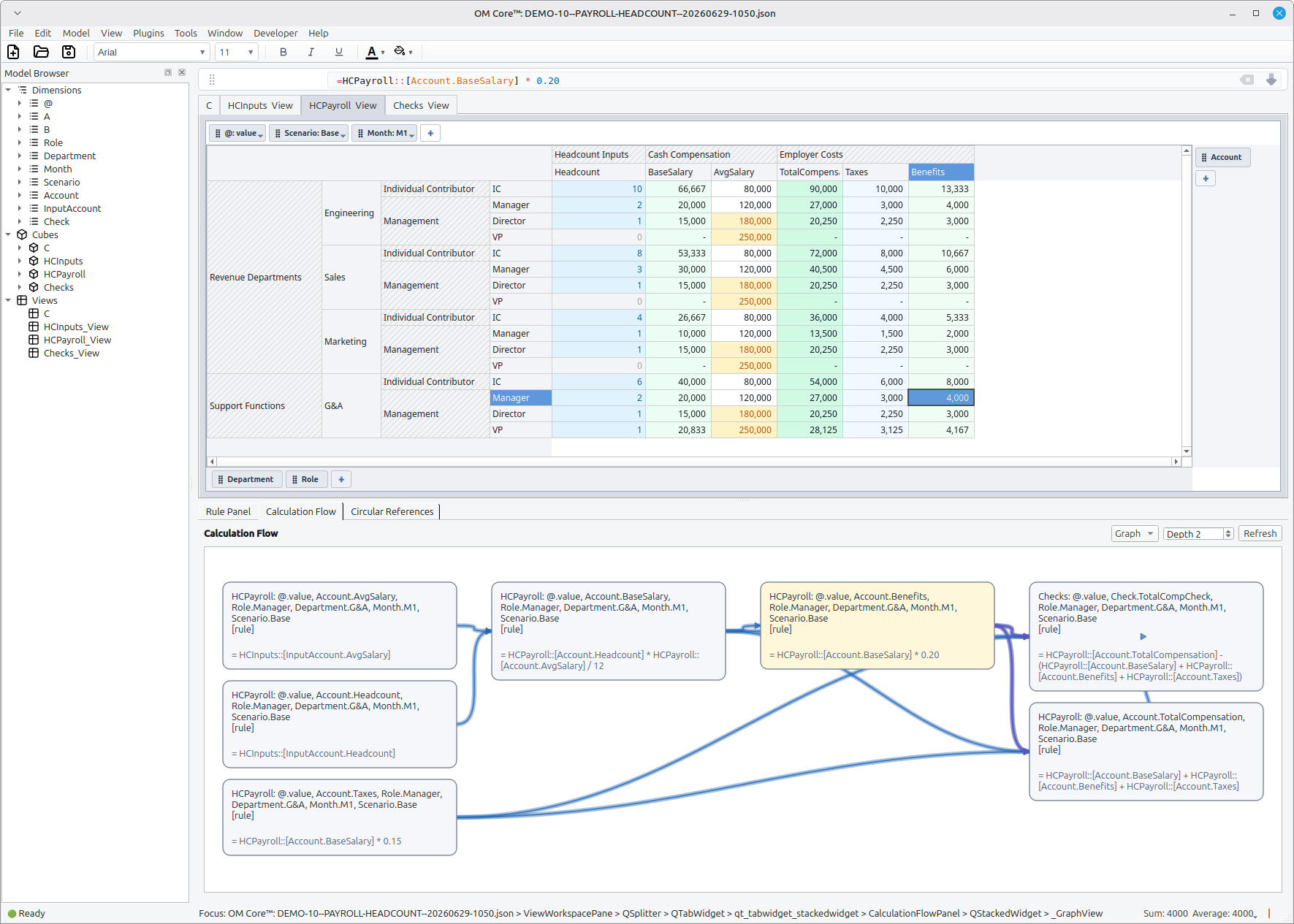
A core FP&A use case. Plans headcount by role, department, month, and scenario, then rolls it up into base salary, benefits, taxes, and total compensation. Demonstrates dimensional grouping for roles, departments, and account lines.
- 00_variables.openm
- 01_dimensions.openm
- 02_cubes.openm
- 03_inputs.openm
- 04_rules.openm
- 05_checks.openm
- 06_views.openm
- 07_formatting.openm
- 08_groups.openm
- build.openm
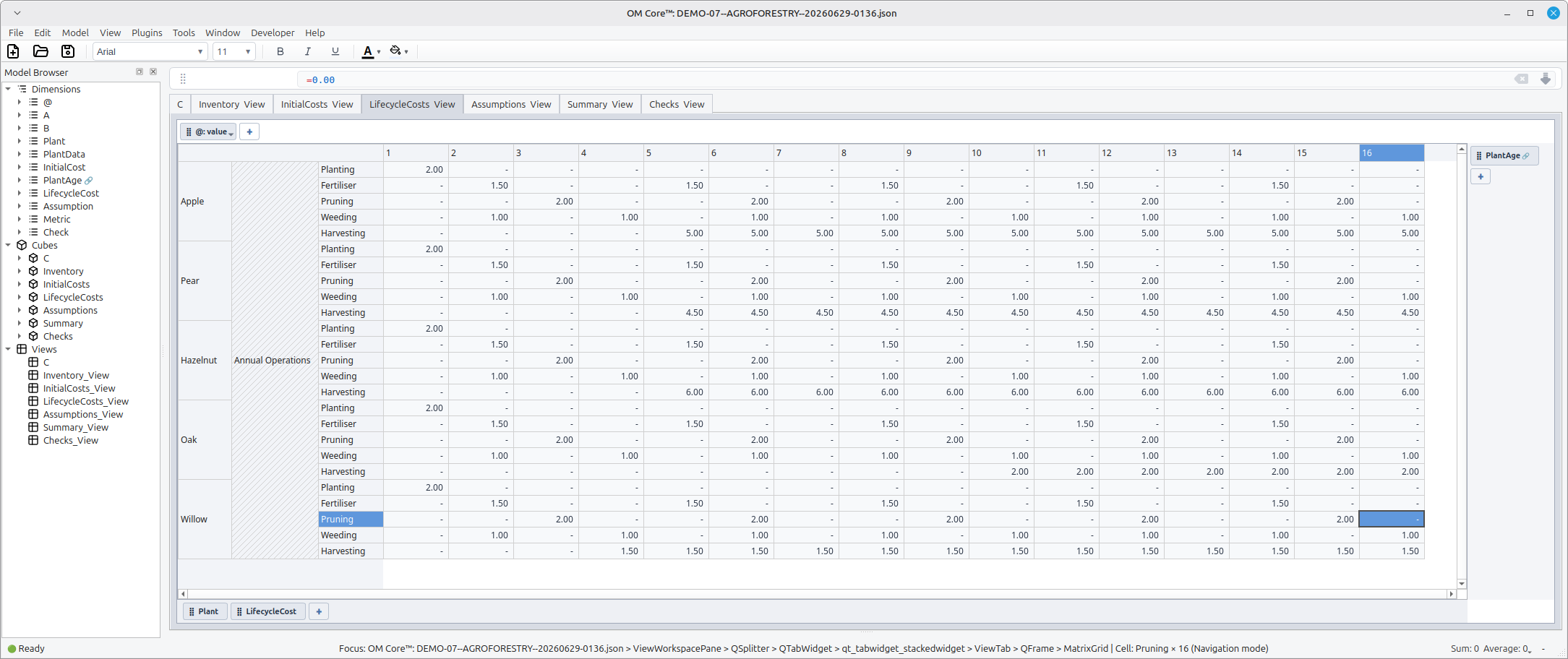
Agroforestry Model
- 00_variables.openm
- 01_dimensions.openm
- 02_cubes.openm
- 03_inputs.openm
- 04_rules.openm
- 05_checks.openm
- 06_views.openm
- 07_formatting.openm
- 08_groups.openm
- build.openm
Business Valuation Model
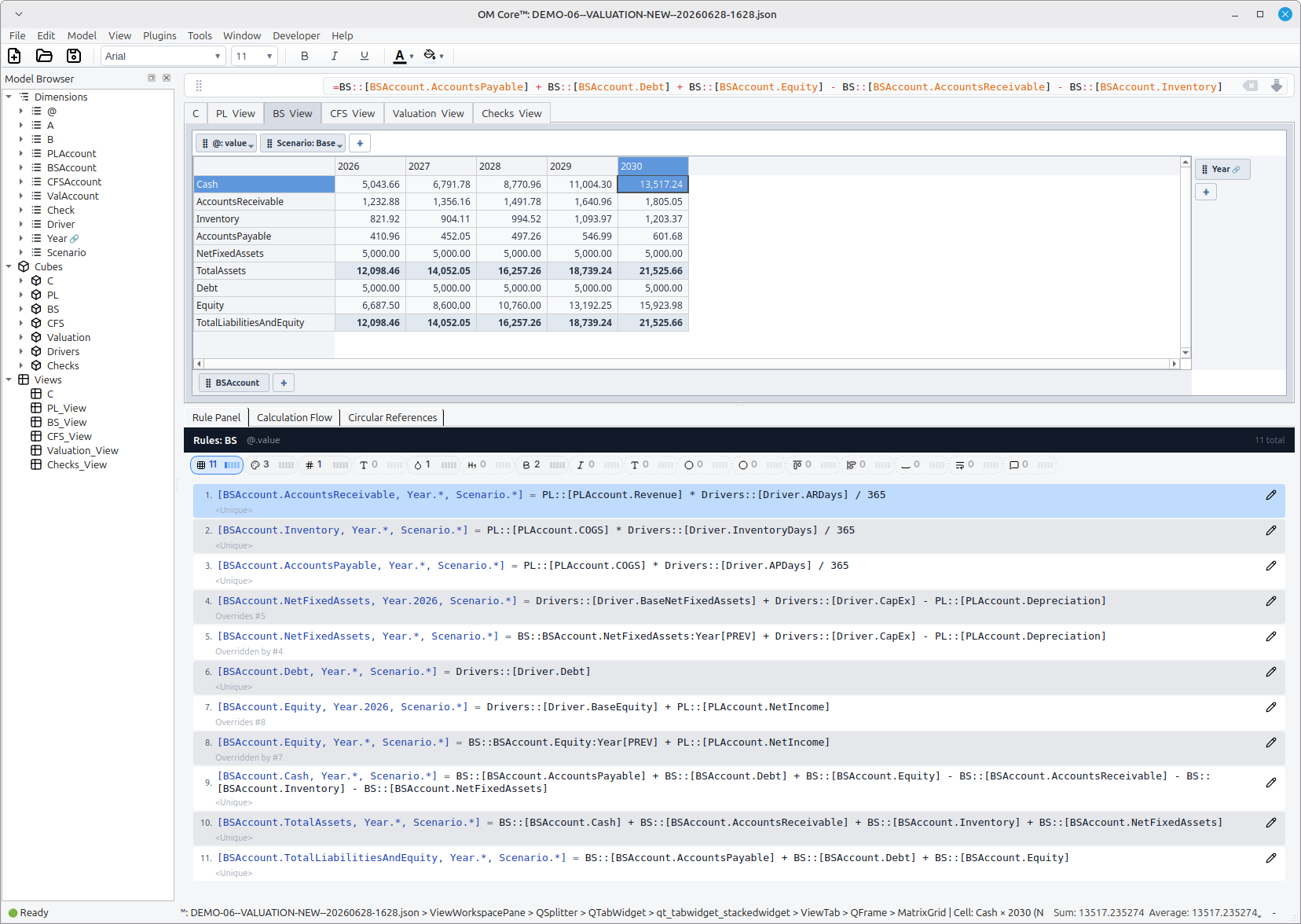
A DCF-style valuation built from integrated P&L, Balance Sheet, and Driver assumptions. Working-capital items (Accounts Receivable, Inventory, Accounts Payable) tie to Driver days; Net Fixed Assets roll forward with CapEx and Depreciation; Equity and Debt feed the balance sheet; and Cash is the balancing plug.
- 00_variables.openm
- 01_dimensions.openm
- 02_cubes.openm
- 03_inputs.openm
- 04_rules.openm
- 05_checks.openm
- 06_views.openm
- 07_formatting.openm
- 08_groups.openm
- build.openm
Fixed Asset Depreciation by Tranche
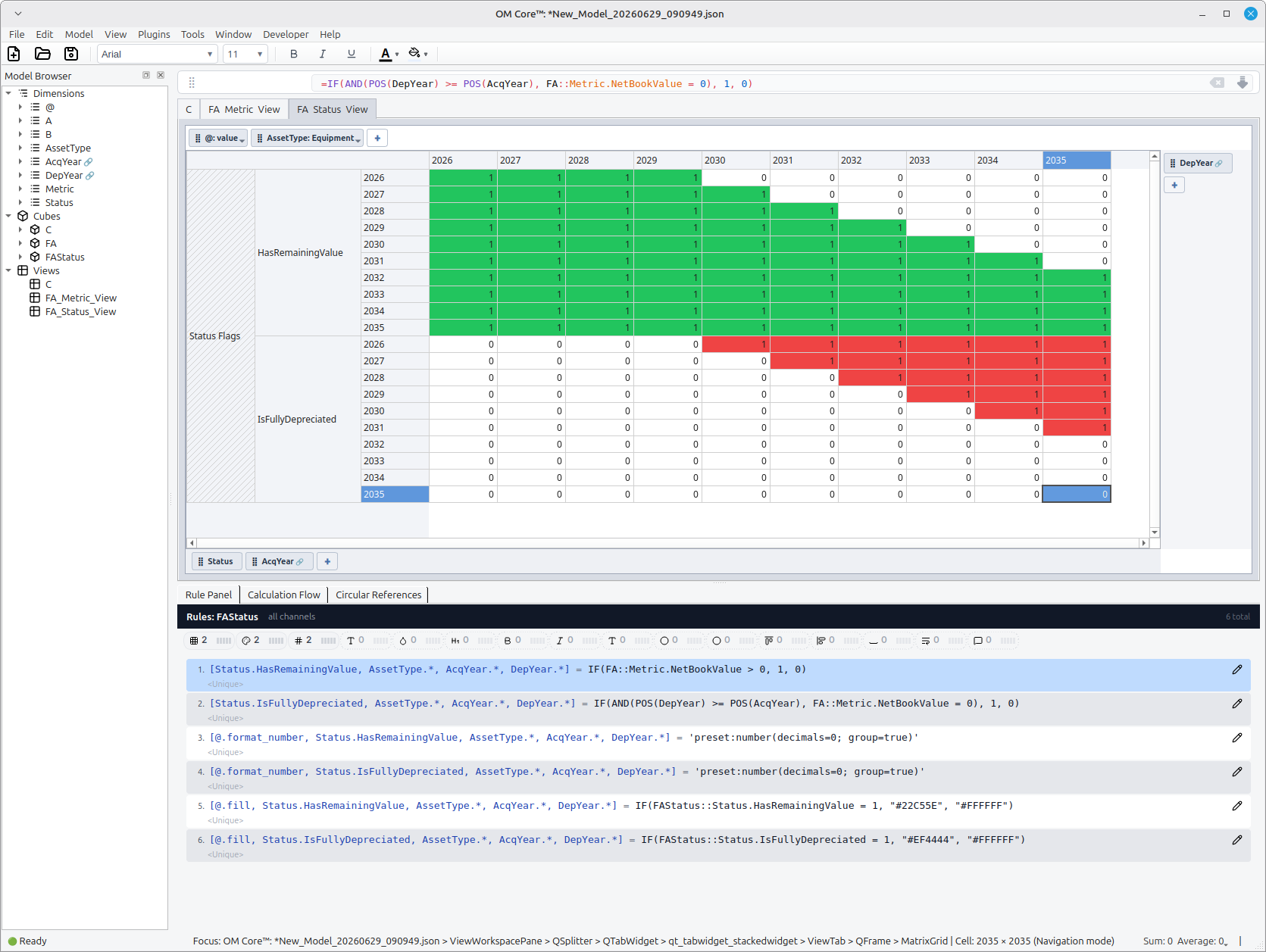
Tracks each annual asset acquisition as a separate tranche and depreciates it
over its useful life. Uses two sequential base dimensions (AcqYear and
DepYear) plus a supplementary Status dimension that flags whether any net
book value remains or the tranche is fully depreciated.
- 00_variables.openm
- 01_dimensions.openm
- 02_cubes.openm
- 03_inputs.openm
- 04_rules.openm
- 05_checks.openm
- 06_views.openm
- 07_formatting.openm
- 08_groups.openm
- build.openm
Note: When using
@.fillor@.font_colorwith conditional formatting, color values must be passed as string literals inside the formula, e.g."#EF4444"rather than#EF4444.
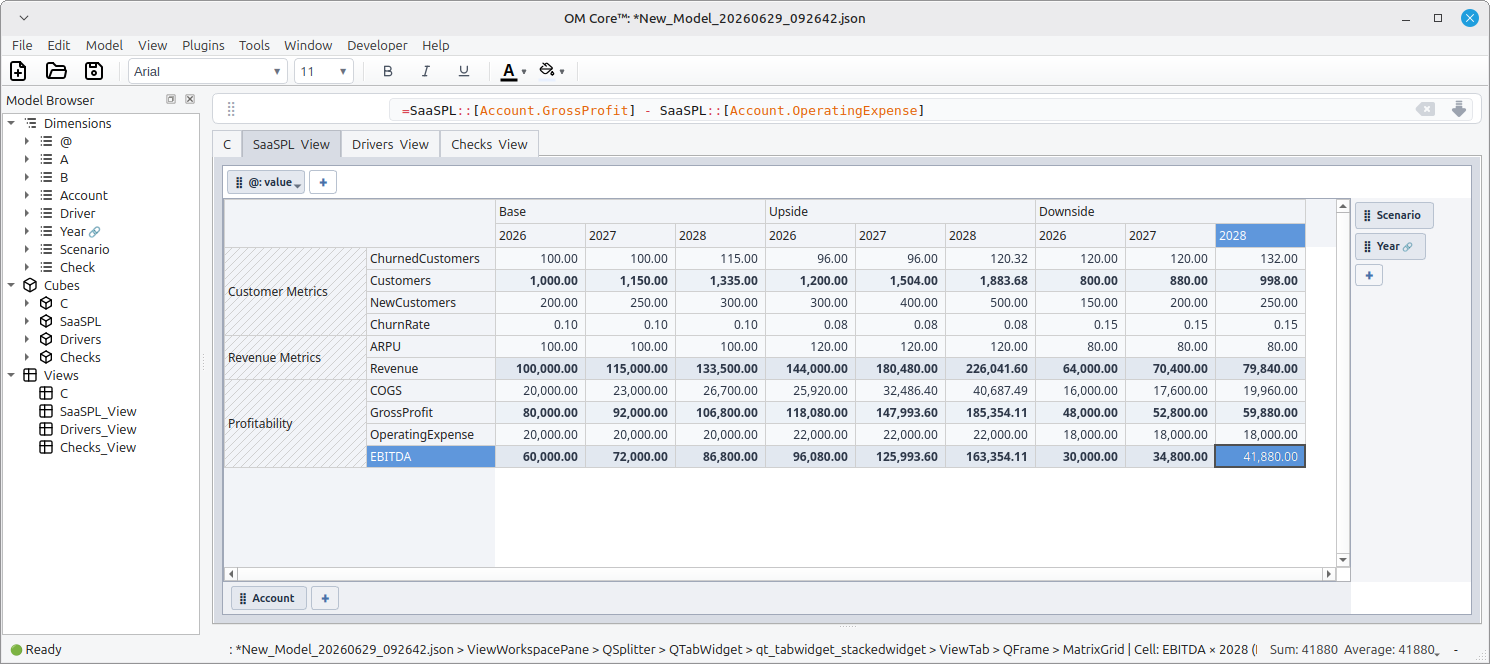
SaaS Revenue Model
- 00_variables.openm
- 01_dimensions.openm
- 02_cubes.openm
- 03_inputs.openm
- 04_rules.openm
- 05_checks.openm
- 06_views.openm
- 07_formatting.openm
- 08_groups.openm
- build.openm
Manufacturing CapEx & Depreciation Model
- 00_variables.openm
- 01_dimensions.openm
- 02_cubes.openm
- 03_inputs.openm
- 04_rules.openm
- 05_checks.openm
- 06_views.openm
- 07_formatting.openm
- 08_groups.openm
- build.openm